
PROGRAMMING CONCEPT
Chapter 2 – Programming Concept
Questions and answers
1. Fill in the blanks
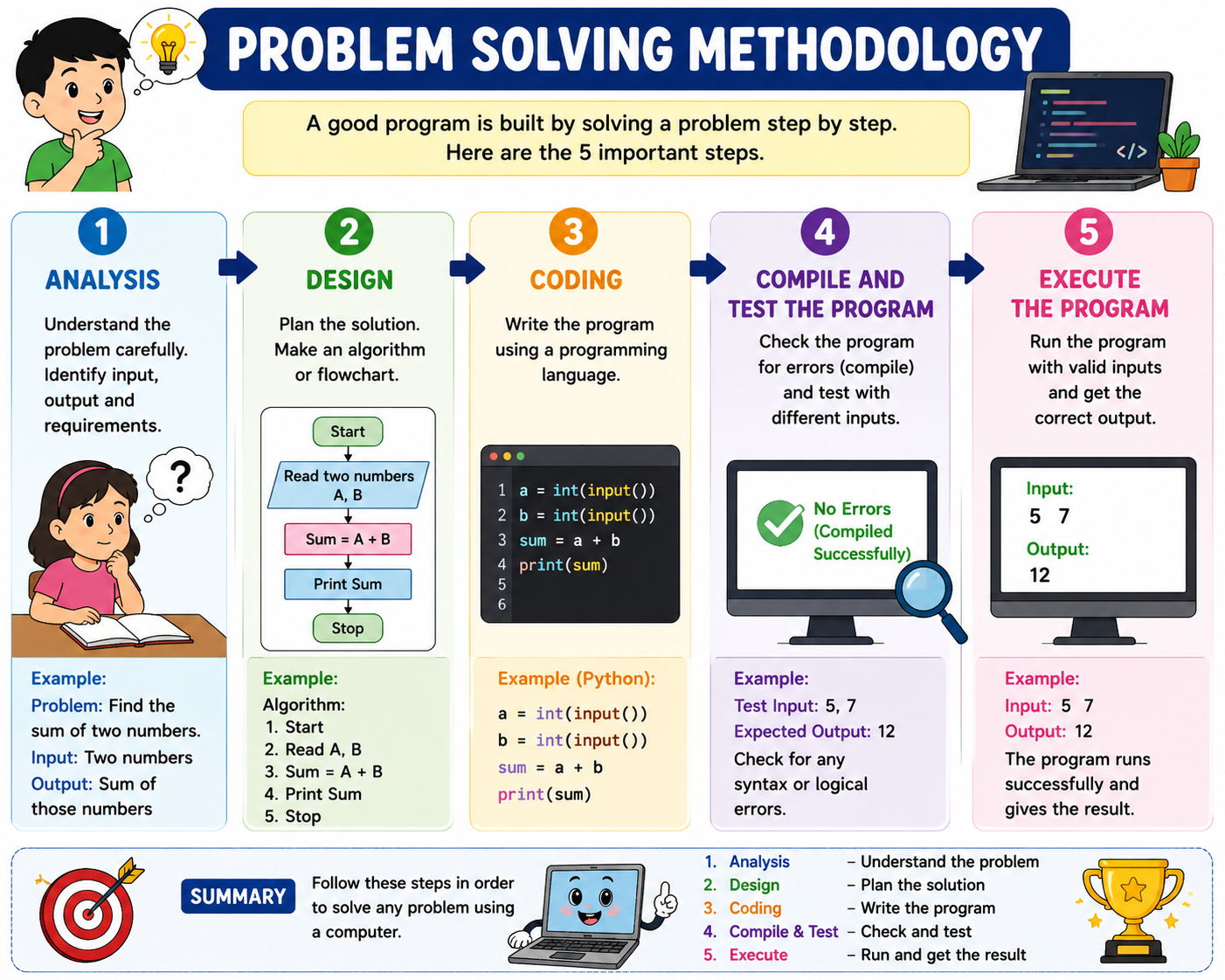
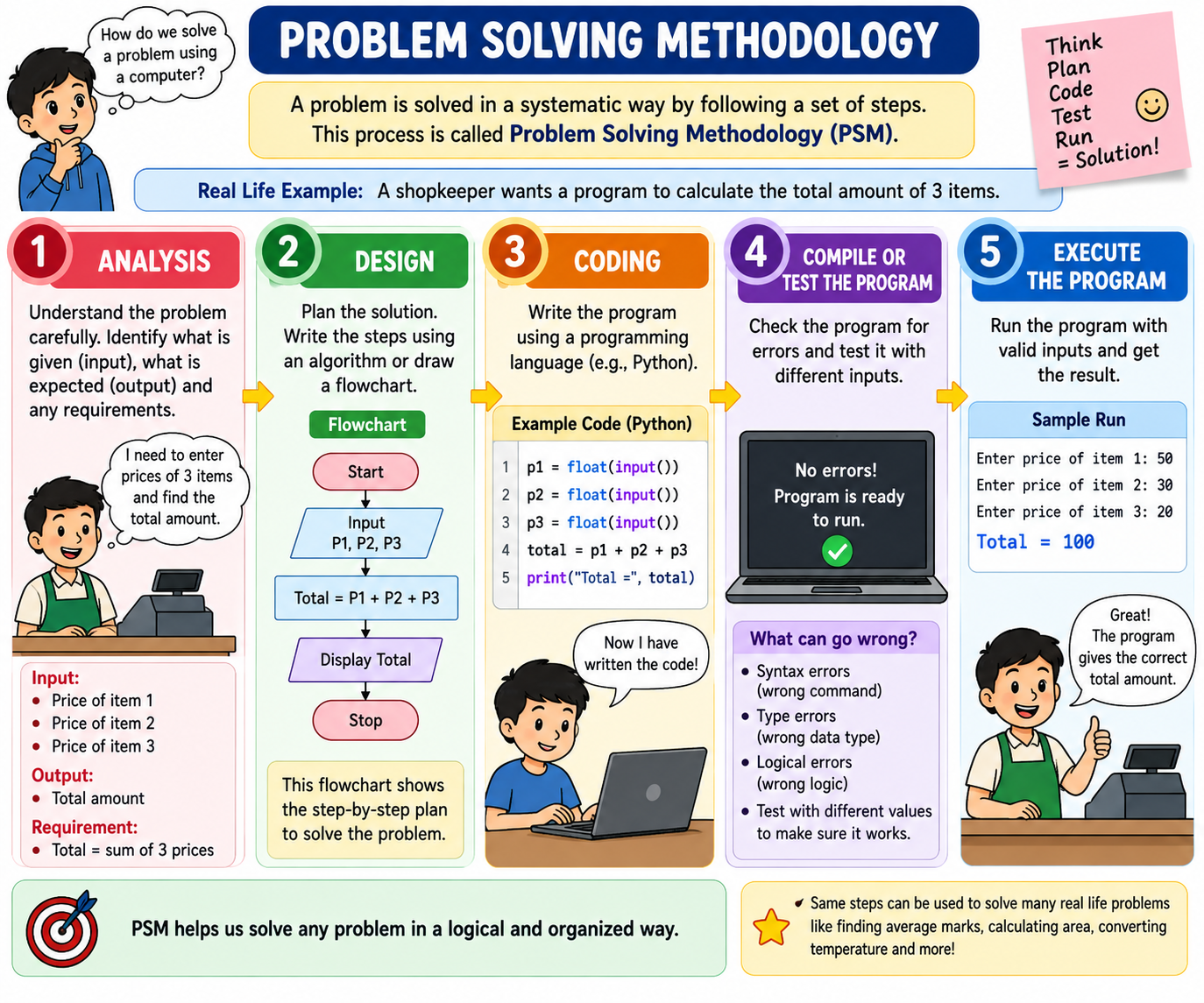
(a) Problem-solving techniques are helpful in solving problems.
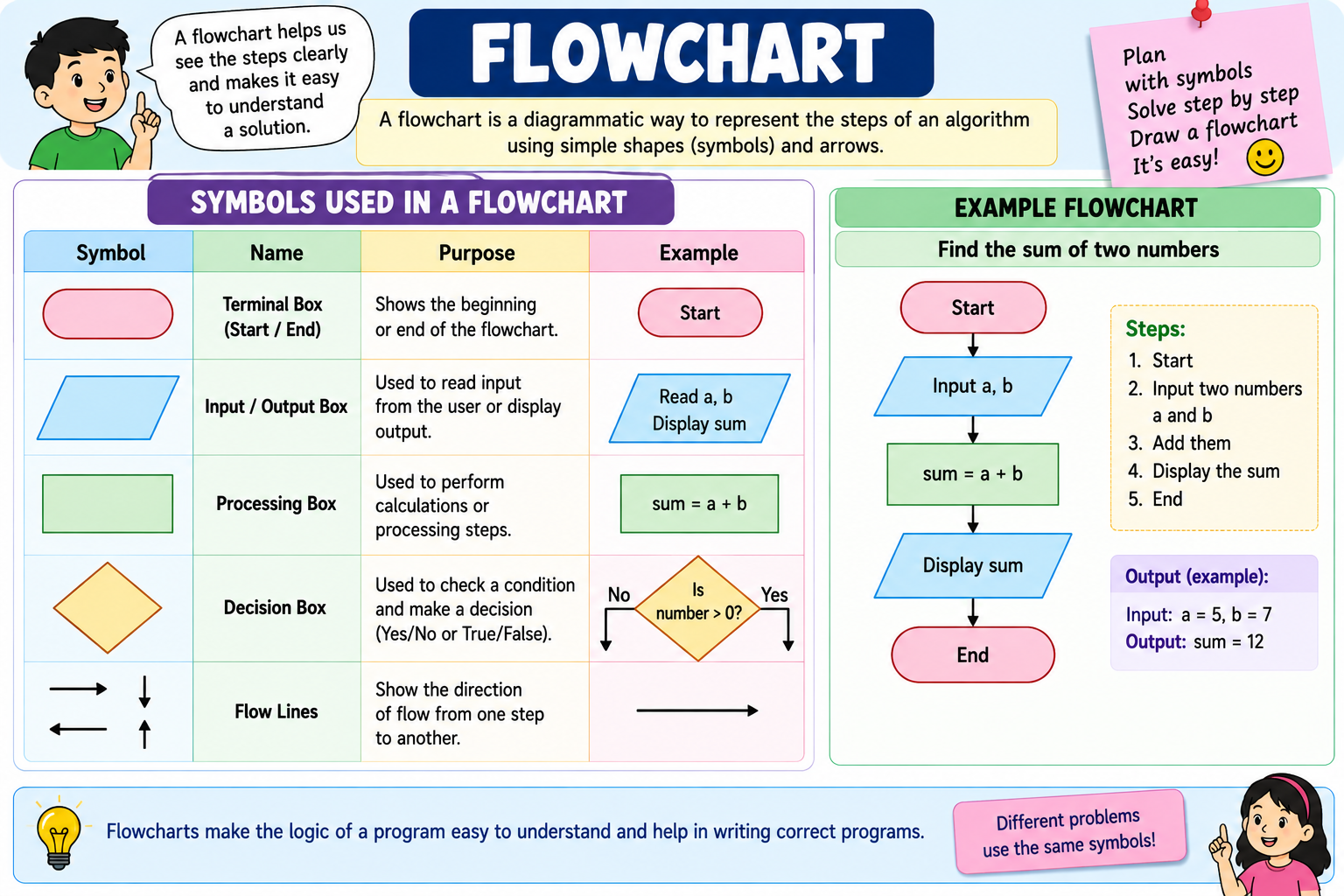
(b) Flowchart is a process of pictorial illustration for solving a problem.
(c) The input/output in a flowchart is represented by a parallelogram shape.
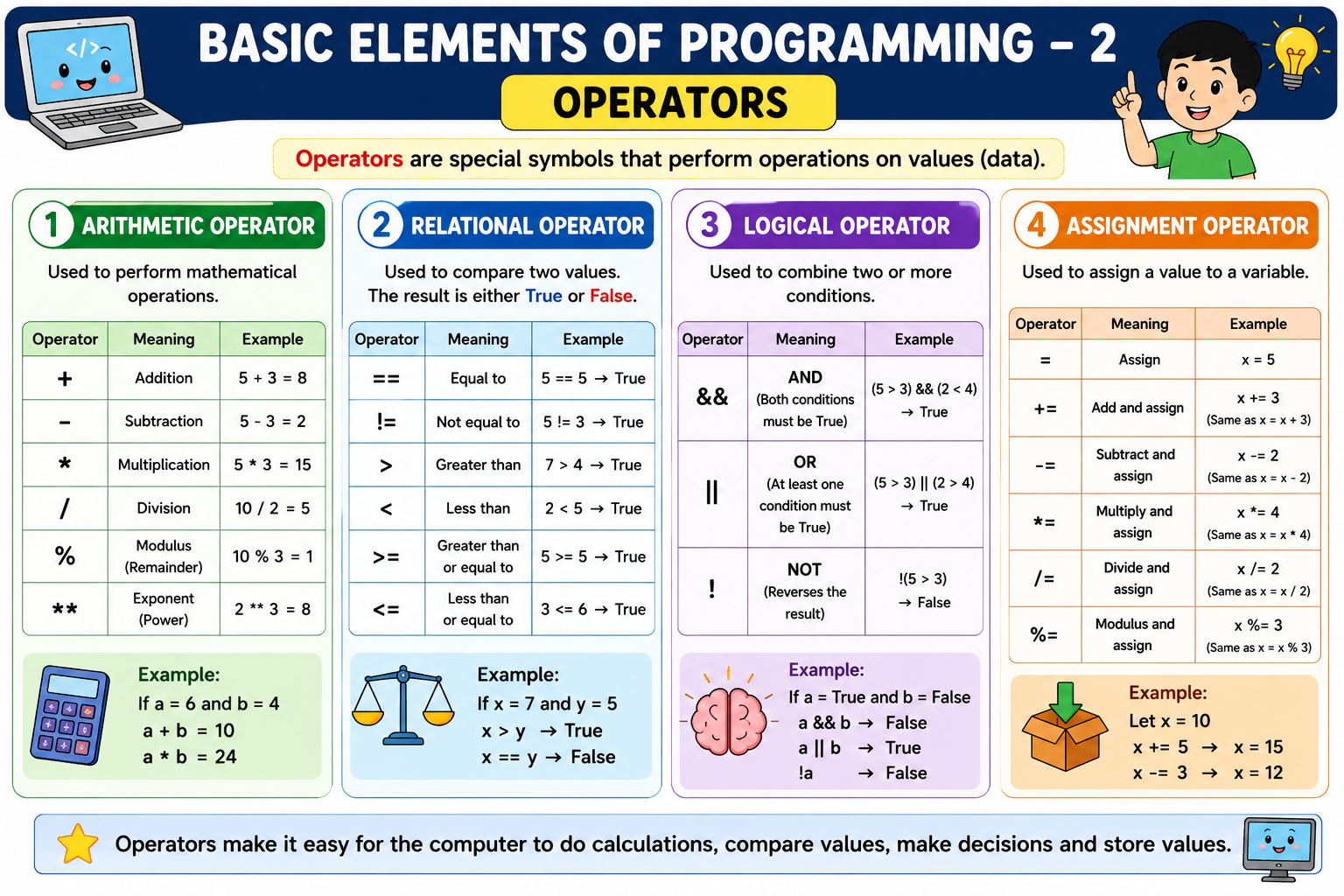
(d) An operator which is used to assign a value to a variable is called assignment operator.
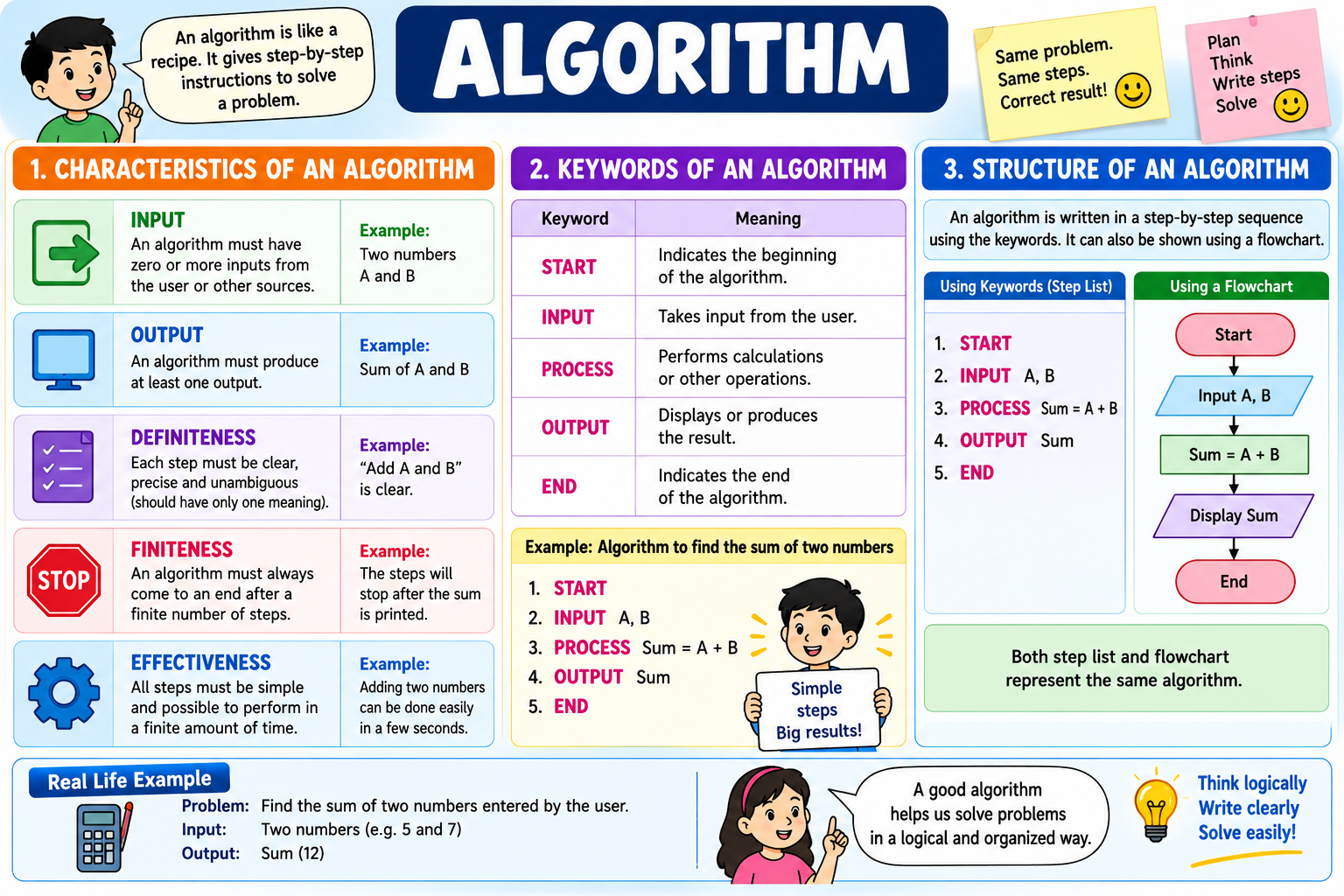
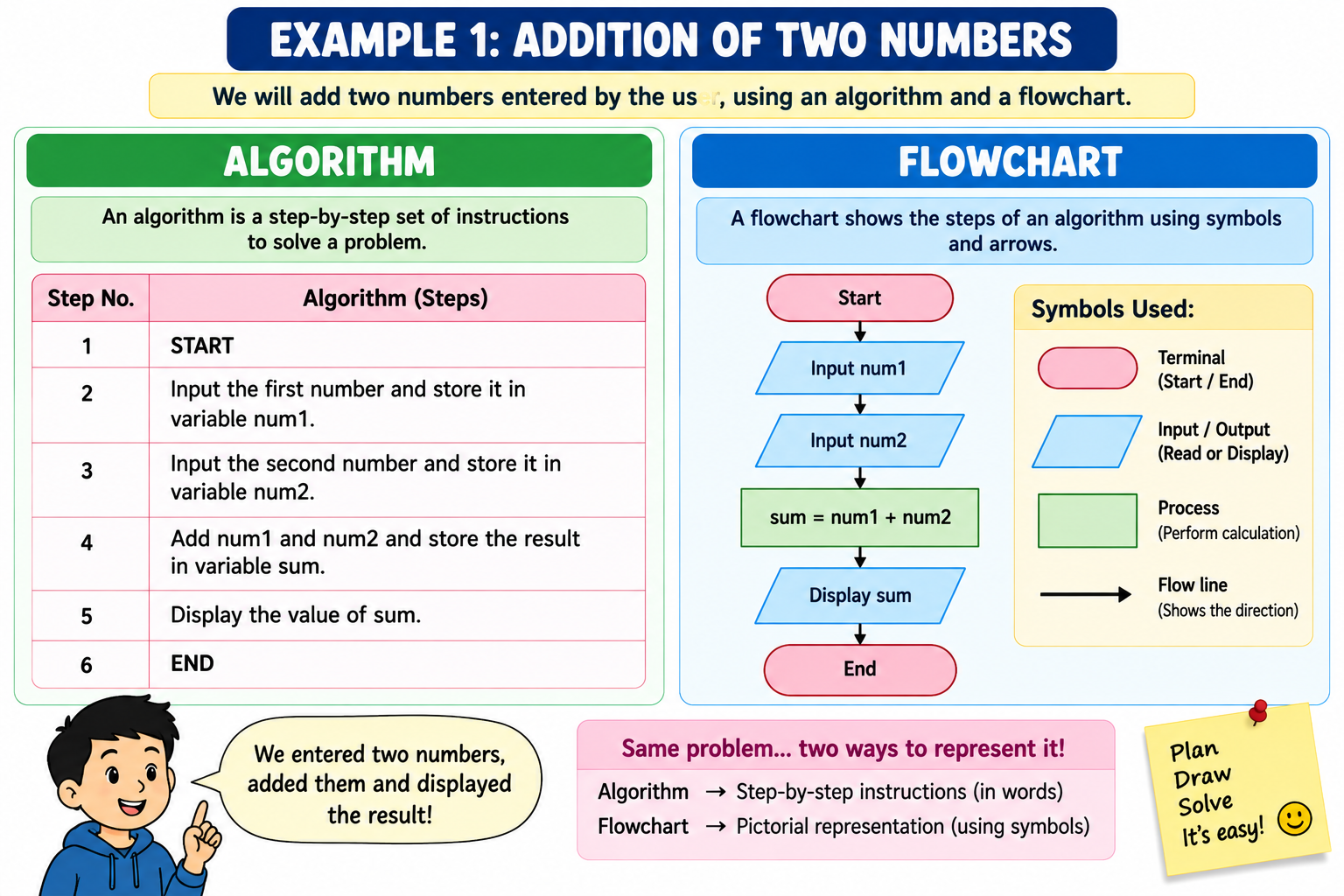
(e) A sequence of instructions used to solve a particular task is called an algorithm.
(f) An algorithm is a set of instructions.
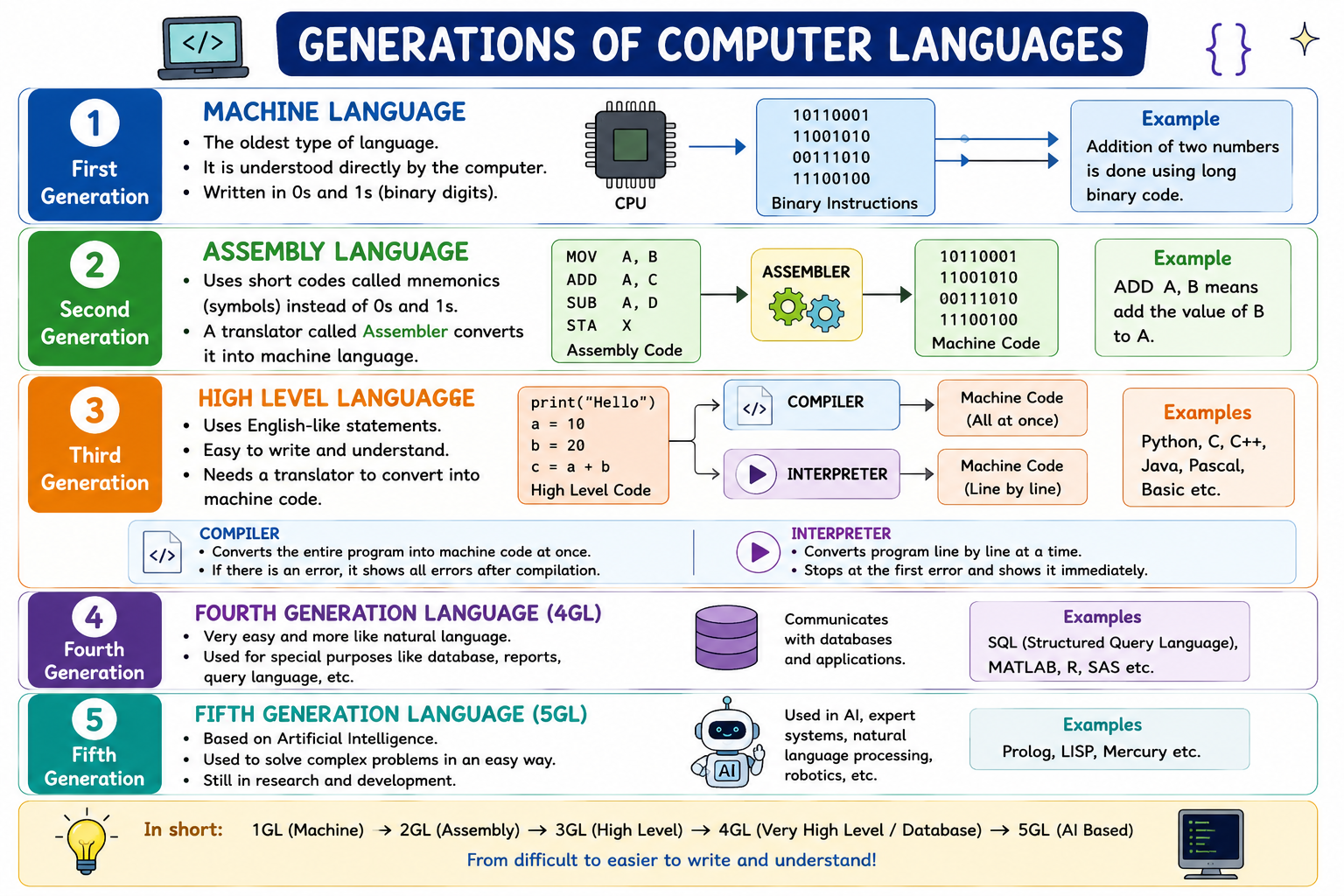
(g) Assembly language uses mnemonics.
(h) Interpreters convert high-level language to machine language line by line.
(i) The machine language is also known as binary language.
(j) A high-level language is also known as human-like language.
2. State True or False
(a) A flowchart is a step-by-step procedure for calculations.
➡️ False
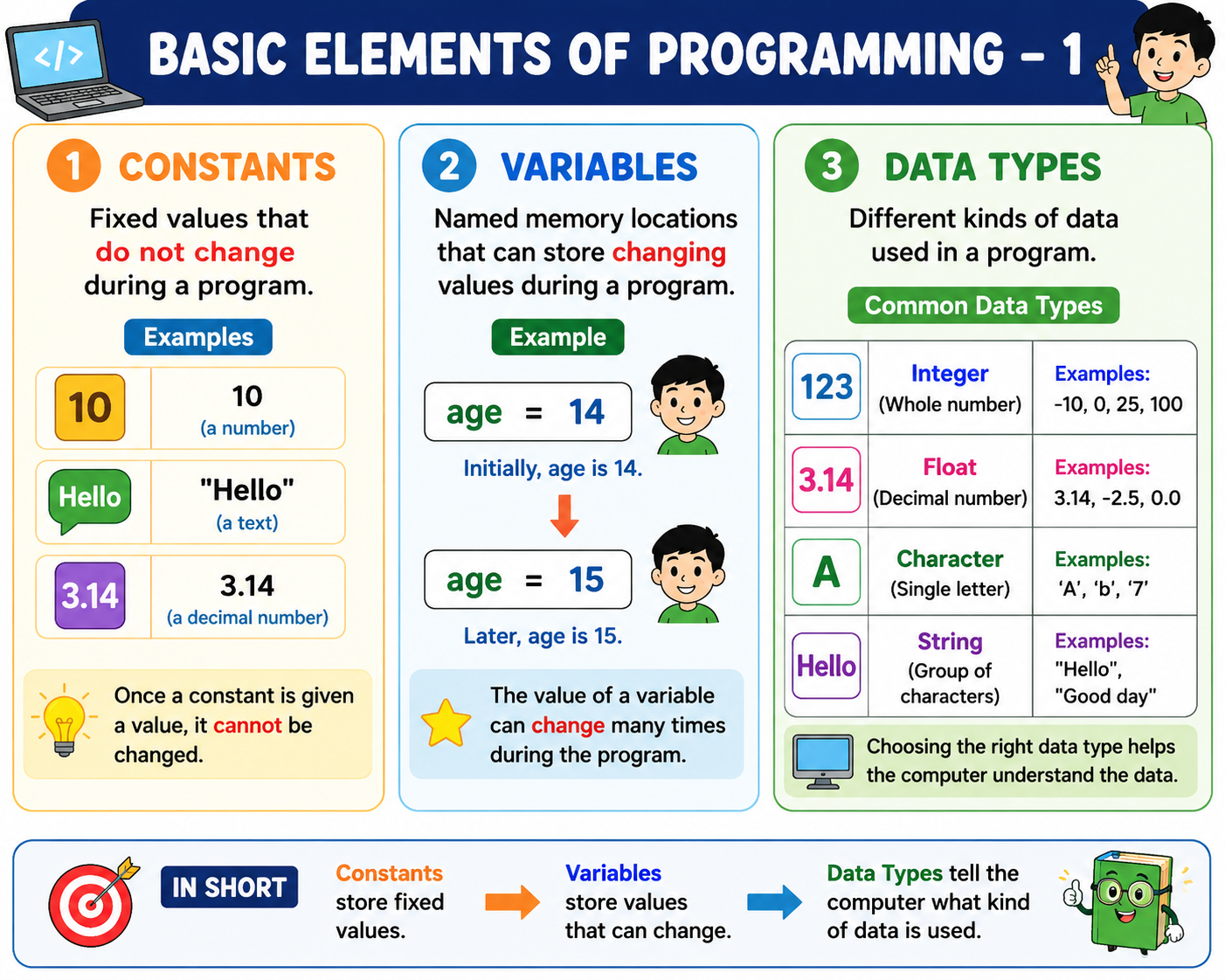
(b) Constants are the quantities whose values cannot be changed.
➡️ True
(c) Variable is a named space in the computer’s memory whose value can be changed during the execution of a program.
➡️ True
(d) The occurrence of incorrect or unexpected result is called an error.
➡️ True
(e) Relational operators are used to assign values.
➡️ False
(f) Machine language is a 1st generation language.
➡️ True
Here are the complete answers for Questions 3 to 8 from the page.
3. Match Column A with Column B
| Column A | Correct Match |
| Constants | Not Changeable Quantities |
| Error | Incorrect result |
| Variables | Changeable quantities |
| Arithmetic operator | Mod |
| Relational operator | != |
| Assignment operator | Equal to |
4. Short Answer Questions
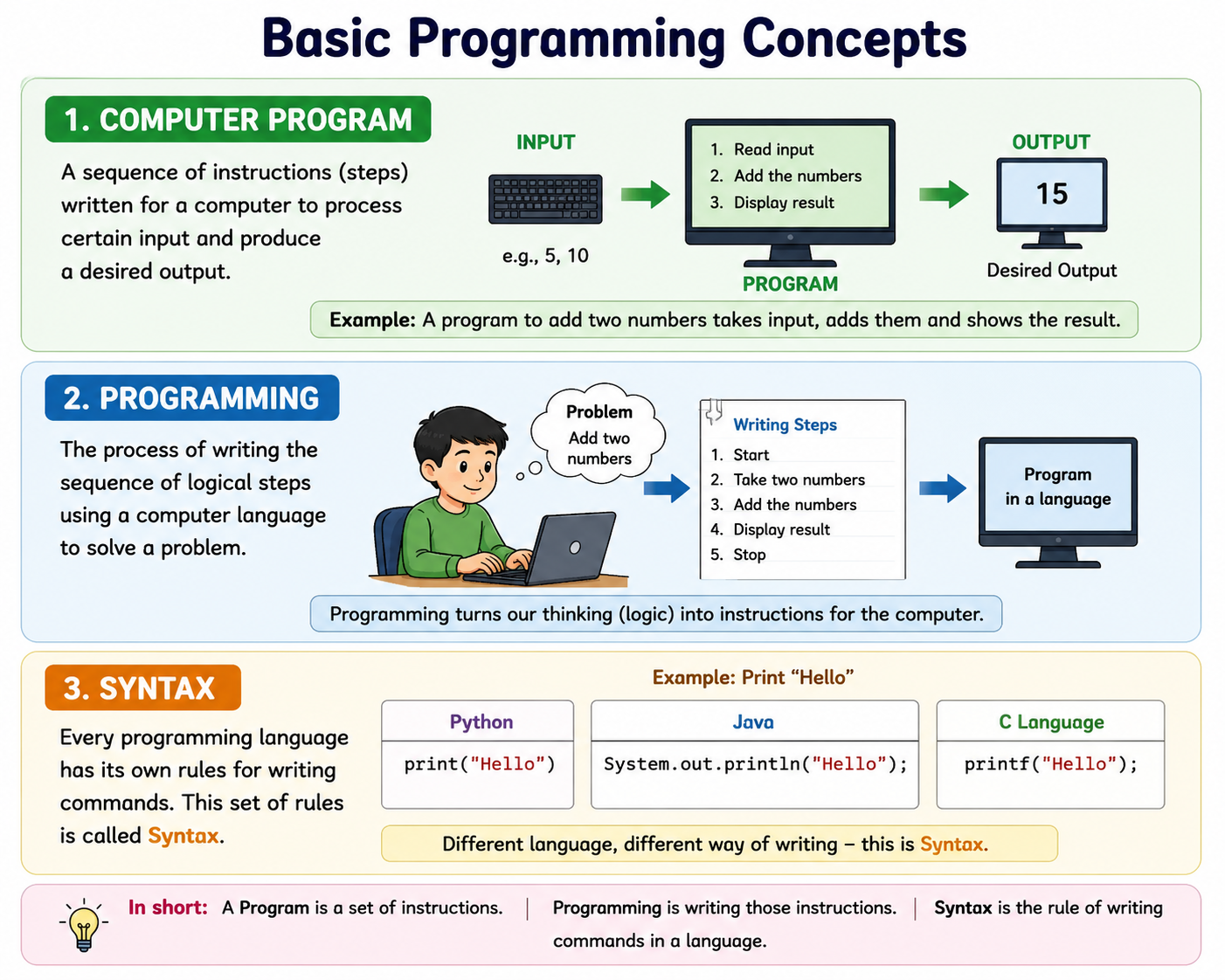
(a) What is a program?
A program is a sequence of instructions written in a programming language to perform a particular task or solve a problem.
(b) Differentiate between a constant and a variable.
| Constant | Variable |
| Its value cannot be changed during program execution. | Its value can be changed during program execution. |
Example: 10 | Example: age = 14 |
(c) Differentiate between a Syntax error and Logical error.
Syntax Error: An error caused by breaking the rules of a programming language. The program may not run.
Logical Error: An error in the logic of a program that causes it to produce an incorrect result.
Example:
- Syntax: Missing
)or incorrect command. - Logical: Using
a - bwhen the problem requiresa + b.
(d) What is a flowchart?
A flowchart is a pictorial representation of the steps of an algorithm using standard symbols and arrows.
(e) What is an algorithm?
An algorithm is a step-by-step set of instructions used to solve a particular problem.
(f) Name the different number systems of a computer.
The four commonly used number systems are:
- Binary – Base 2
- Decimal – Base 10
- Octal – Base 8
- Hexadecimal – Base 16
(g) Name the rules for adding Binary Numbers.
| Addition | Result |
| 0 + 0 | 0 |
| 0 + 1 | 1 |
| 1 + 0 | 1 |
| 1 + 1 | 10 |
| 1 + 1 + 1 | 11 |
Remember: In binary, 1 + 1 = 10, so we write 0 and carry 1.
(h) Name the rules of multiplication of Binary Numbers.
| Multiplication | Result |
| 0 × 0 | 0 |
| 0 × 1 | 0 |
| 1 × 0 | 0 |
| 1 × 1 | 1 |
5. Add the following
(a)
00100 01000+ 10000------- 11100Answer = 11100₂
(b)
111000+ 011000-------- 1010000Answer = 1010000₂
(c)
1 11 111+ 1111------ 11010Answer = 11010₂
6. Subtract the following
(a)
10101011- 01010101---------- 1010110Adding the leading zero:
Answer = 01010110₂
(b)
1100110- 0011111--------- 1000111Answer = 1000111₂
7. Multiply the following
(a)
101× 011------- 101 101 101------- 1111Answer = 1111₂
(b)
101010× 1011------------ 101010 101010 000000+ 101010------------ 111001110Answer = 111001110₂
8. Divide the following
(a) 1111 ÷ 11
1111₂ ÷ 11₂ = 101₂
Answer = Quotient 101₂, Remainder 0₂
(b) 111111111 ÷ 1011
Answer:
Quotient = 101110₂
Remainder = 101₂
Check:
1011₂ × 101110₂ + 101₂ = 111111111₂
(c) 10100110111 ÷ 111
Answer:
Quotient = 10111110₂
Remainder = 101₂
Check:
111₂ × 10111110₂ + 101₂ = 10100110111₂
Absolutely. Here are the complete answers to Questions 9, 10 and 11, written at a Class 8 level.
9. Give detailed answers
(i) Explain different types of errors in programming with examples.
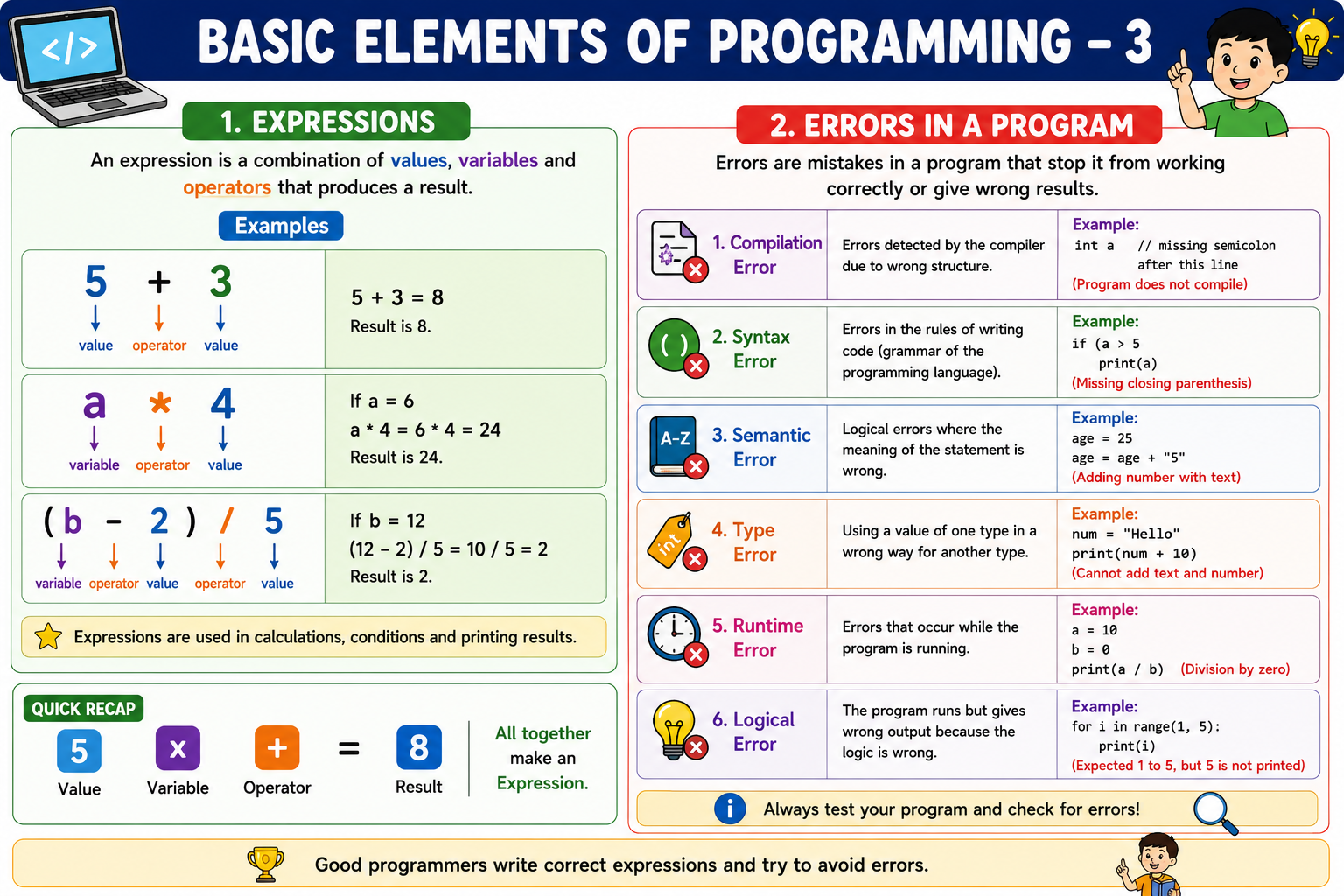
An error is a mistake in a program that prevents it from working correctly or produces an incorrect result.
1. Compilation Error
An error detected by the compiler while converting the program into machine language.
Example:
int a = 10If the programming language requires a semicolon, the missing ; causes a compilation error.
2. Syntax Error
An error caused by not following the rules or grammar of a programming language.
Example:
if (a > 5 print(a)The closing ) is missing.
3. Semantic Error
An error in the meaning of a statement. The statement may be written correctly but does not make proper sense.
Example:
age = age + "five"A number is being combined with text incorrectly.
4. Type Error
An error caused by using an inappropriate data type.
Example:
num = "Hello"print(num + 10)Text and a number cannot be added in this way.
5. Runtime Error
An error that occurs while the program is running.
Example:
10 / 0Division by zero causes a runtime error.
6. Logical Error
An error in the logic of a program. The program runs but produces the wrong answer.
Example:
To find the sum:
sum = a - bThe program runs, but subtraction has been used instead of addition.
(ii) What is an arithmetic expression? Explain different types of operators with examples.
An arithmetic expression is a combination of numbers, variables and arithmetic operators that produces a numerical result.
Example:
A + B * 2Types of operators
1. Arithmetic Operators
They are used to perform mathematical calculations.
| Operator | Meaning | Example |
+ | Addition | A + B |
- | Subtraction | A - B |
* | Multiplication | A * B |
/ | Division | A / B |
% | Modulus (remainder) | A % B |
^ | Power/Exponent | A ^ 2 |
2. Relational Operators
They are used to compare two values. The result is generally True or False.
| Operator | Meaning | Example |
== | Equal to | A == B |
!= | Not equal to | A != B |
> | Greater than | A > B |
< | Less than | A < B |
>= | Greater than or equal to | A >= B |
<= | Less than or equal to | A <= B |
3. Logical Operators
They are used to combine or reverse conditions.
| Operator | Meaning | Example |
AND / && | Both conditions must be true | A > 5 AND B < 10 |
OR / || | At least one condition is true | A > 5 OR B < 10 |
NOT / ! | Reverses the result | NOT(A > 5) |
4. Assignment Operator
It is used to assign a value to a variable.
Example:
A = 10Here, 10 is assigned to variable A.
9(iii). Convert the algebraic expressions into computer expressions
(a) (AB) + (BC)
In computer expressions, multiplication must be written using *.
Answer:
(A * B) + (B * C)(b) 5X - 7Y
Answer:
5 * X - 7 * Y(c) A + B × C3
The printed expression appears to show C3. If C3 means C³, then:
Answer:
A + B * C ^ 3(d) B2 - 4AC
Assuming B2 means B²:
Answer:
B ^ 2 - 4 * A * C(e) XY - (X-Y)
Answer:
X * Y - (X - Y)Important: In many programming languages such as Python, ^ is not the power operator; ** is used for power. But the textbook appears to use ^ as its power notation.
10. Find the solution if A = 3, B = 4 and C = 5
(a) C - A * B - 5
Substitute the values:
= 5 - 3 * 4 - 5= 5 - 12 - 5= -12Answer = -12
(b) (A + B) - C ^ 2
= (3 + 4) - 5²= 7 - 25= -18Answer = -18
(c) (B + C) / A * 10
= (4 + 5) / 3 * 10= 9 / 3 * 10= 3 * 10= 30Answer = 30
(d) A ^ 2 + B ^ 2 - 2 * A * R
There is a problem in the textbook/question here: it uses R, but Question 10 gives values only for A, B and C.
So this expression cannot be calculated exactly unless the value of R is provided.
If the book intended the expression to be:
A² + B² - 2ABthen:
= 3² + 4² - 2 * 3 * 4= 9 + 16 - 24= 1Answer, if R was intended to be B = 4: 1
(e) C mod A * B + C
= 5 mod 3 * 4 + 5= 2 * 4 + 5= 8 + 5= 13Answer = 13
11. Draw the flowchart for
Since these are drawing questions, below I have given the exact flowchart sequence. Use the appropriate standard symbols.
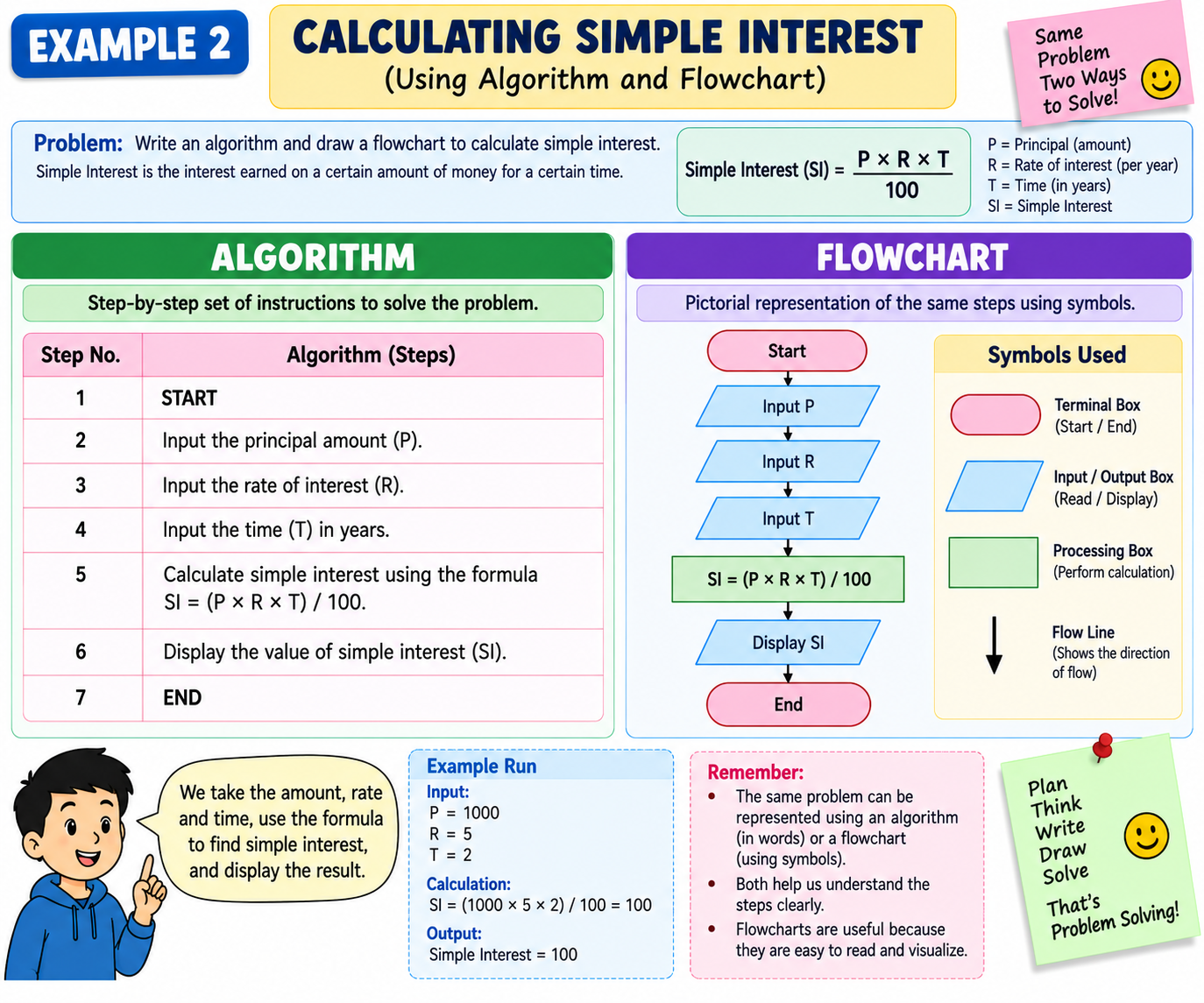
(a) Find the addition of three numbers
Flowchart
┌─────────┐ │ START │ └────┬────┘ ↓╱───────────────╲
╱ Input A, B, C╲
╲─────────────────╱
↓ ┌──────────────┐ │ Sum = A+B+C │ └──────┬───────┘ ↓╱────────────────╲
╱ Display Sum╲
╲──────────────────╱
↓ ┌─────────┐ │ END │ └─────────┘Symbols:
- Start/End → Terminal
- Input/Display → Parallelogram
- Addition → Processing box
- Arrows → Flow lines
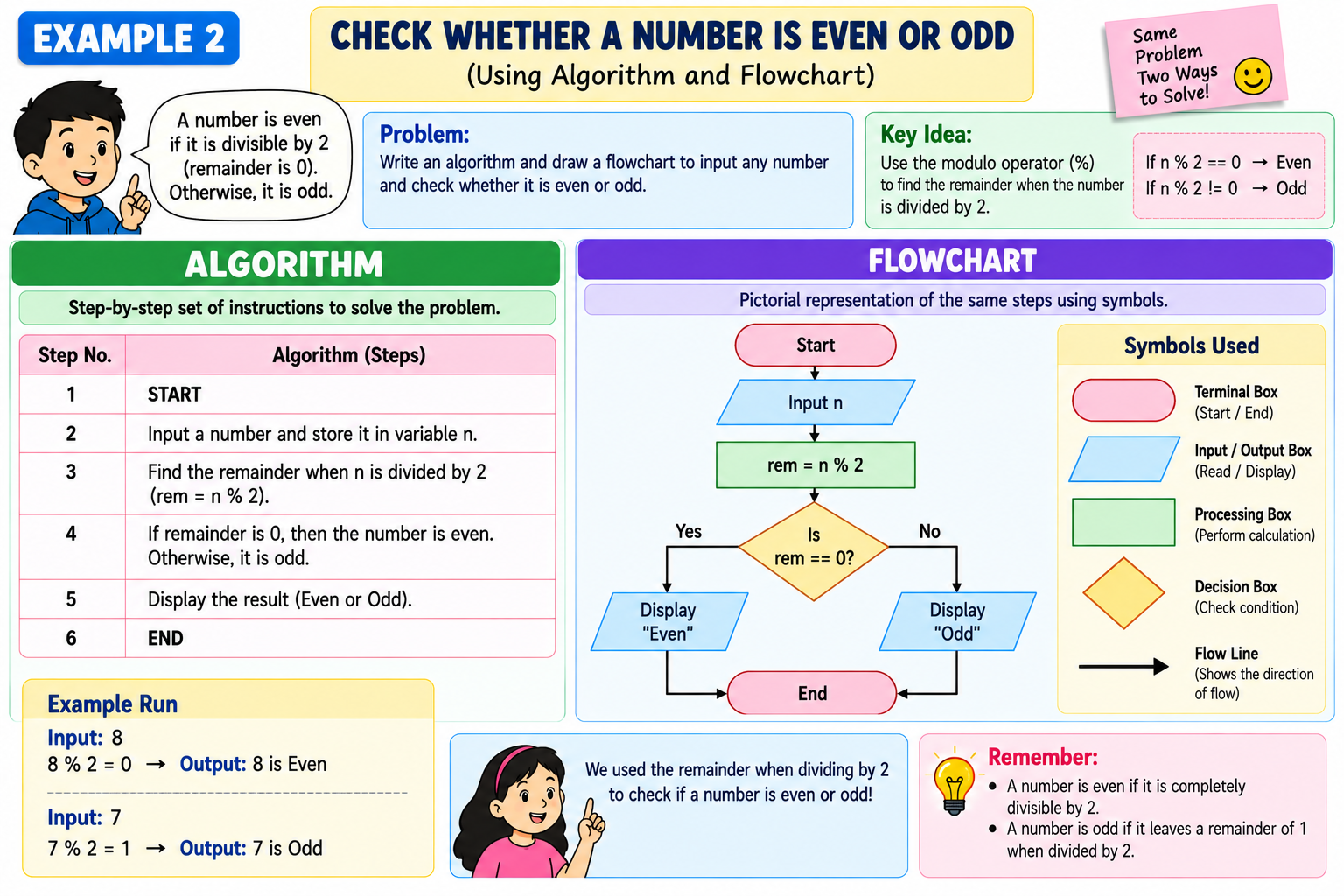
11(b). Find whether a given number is even or odd
Flowchart
┌─────────┐ │ START │ └────┬────┘ ↓╱────────────╲
╱ Input N╲
╲──────────────╱
↓ ┌────────────┐ │ R = N MOD 2│ └─────┬──────┘ ↓◇────────◇
╱ R = 0 ?╲
◇─────┬────◇
Yes│ │No ↓ ↓╱──────────╲╱─────────╲
╱ Display╲╱ Display╲
╲ "Even"╱╲ "Odd"╱
╲──────────╱╲─────────╱
↓ ↓ └────┬─────┘ ↓ ┌─────────┐ │ END │ └─────────┘Key idea:
If N MOD 2 = 0 → Even
Otherwise → Odd
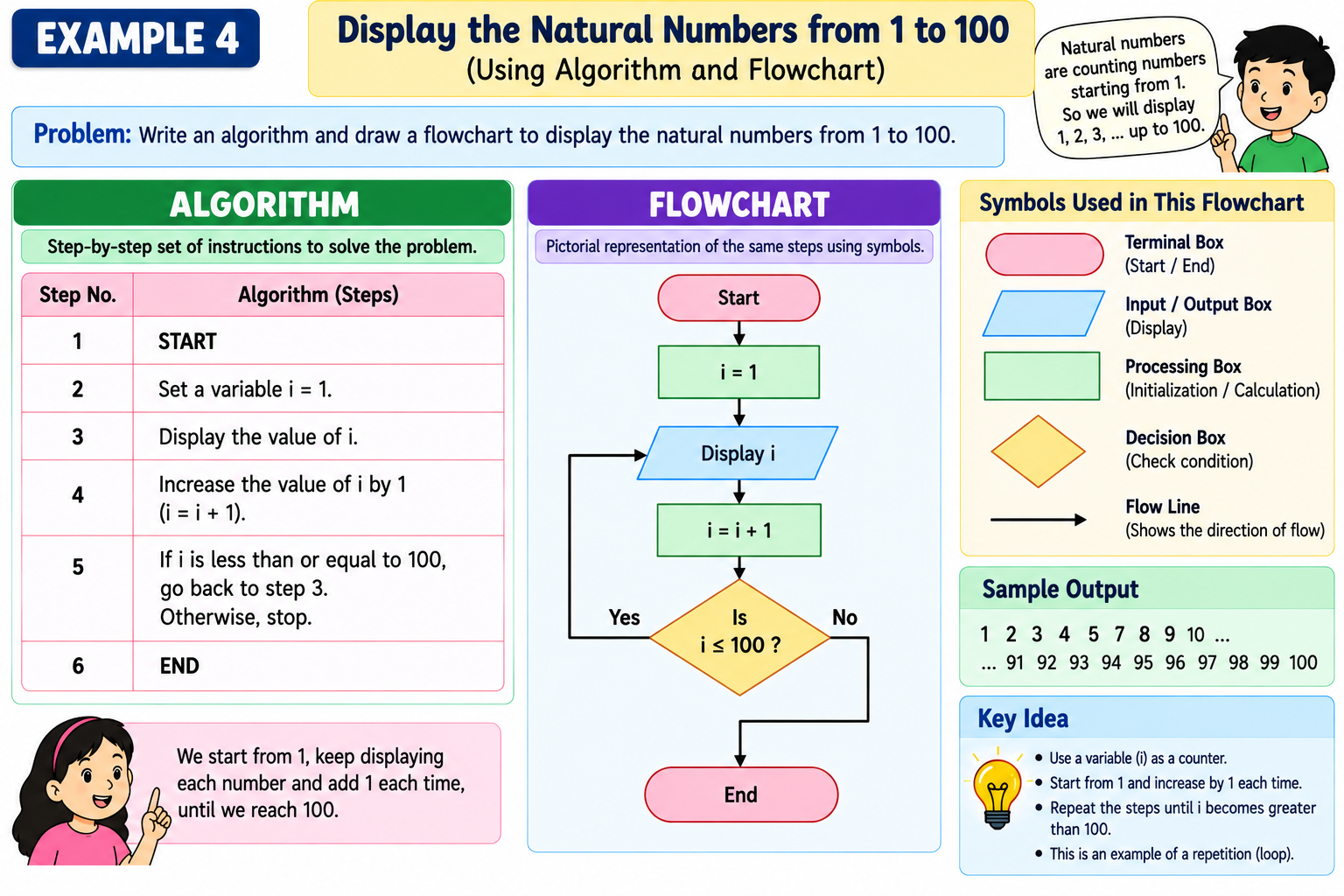
11(c). Print natural numbers from 1 to 10
This uses a loop/repetition.
Flowchart
┌─────────┐ │ START │ └────┬────┘ ↓ ┌────────┐ │ N = 1 │ └────┬───┘ ↓◇────────◇
╱ N ≤ 10 ?╲
◇─────┬────◇
Yes│ │No ↓ ↓╱────────────╲ ┌─────────┐
╱ Display N╲│ END │
╲────────────────╱└─────────┘
↓ ┌────────────┐ │ N = N + 1 │ └──────┬─────┘ │ └──────────→ back to N ≤ 10 ?Output
1 2 3 4 5 6 7 8 9 10⭐ Final answers for Q10
| Question | Answer |
| 10(a) | -12 |
| 10(b) | -18 |
| 10(c) | 30 |
| 10(d) | Cannot determine because R is not given |
| 10(e) | 13 |
Note: For 10(d), I would not recommend writing 1 as the definite answer unless your textbook’s intended expression is A² + B² − 2AB; the printed question clearly shows R, while only A, B and C are assigned values.